• AI Search
  • Cryptocurrency
  • Earnings
  • Enterprise
  • About TechBooky
  • Submit Article
  • Advertise With TechBooky
  • Contact Us
TechBooky
  • African
  • AI
  • Metaverse
  • Gadgets
Generic selectors
Exact matches only
Search in title
Search in content
Post Type Selectors
Search in posts
Search in pages
  • African
  • AI
  • Metaverse
  • Gadgets
Generic selectors
Exact matches only
Search in title
Search in content
Post Type Selectors
Search in posts
Search in pages
TechBooky
Generic selectors
Exact matches only
Search in title
Search in content
Post Type Selectors
Search in posts
Search in pages
Home General App

How To Run Two WhatsApp Accounts In One Android Phone

Paul Balo by Paul Balo
December 16, 2015
in App, Research/How to do it, Social Media
Share on FacebookShare on Twitter
Share this story

Send it to someone who should read it.

f Facebook X X in LinkedIn wa WhatsApp tg Telegram @ Email
In Brief
  • WhatsApp now has close to a billion users and is now used beyond its original chatting app purpose.
  • In one of my posts in August, I introduced you to how to attach and send pdf and word files on WhatsApp.
  • Now in this article which was originally posted on Hacker News, you’ll learn a new trick of having more than one WhatsApp account in your Android...

WhatsApp now has close to a billion users and is now used beyond its original chatting app purpose. Users can now call and receive calls, attach files among others. This has made it the biggest messenger in the world. In one of my posts in August, I introduced you to how to attach and send pdf and word files on WhatsApp. Now in this article which was originally posted on Hacker News, you’ll learn a new trick of having more than one WhatsApp account in your Android Phone

METHOD 1: Use Multi-User in Android Lollipop Phones

If you want to run 2 WhatsApp Accounts on One Android Phone, you can use the Multi-User Featureoffered by the Android Lollipop Operating System, including Cyanogen OS and other custom ROMs. 
Follow these simple steps to begin:
Step 1: Add Multi-User in Android Lollipop-Based smartphone. For this, just go to Settings and click on Users and then Add User.
Step 2: Once after creating a new user, provide complete details to setup a new user account
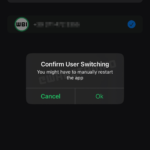
Step 3: Switch to the New User by pulling down the notification bar and clicking on New User icon.
Step 4: Once turned to New User, you will be provided with an all new phone interface with default phone settings.
Step 5: Now, Install WhatsApp in the New User Mode.
Step 6: Once WhatsApp is downloaded, enter all the details, and that is it.
SwitchMe is an Android app that allows you to have two separate WhatsApp accounts on a single Android device, but this app requires your Android smartphone be rooted.
Now, Here’s the deal:

METHOD 2: USE SWITCHME TO RUN MULTIPLE ACCOUNTS

Switchme multiple account app allows you to log in and out of multiple user spaces however it needs root access to do this. However, users cannot access the other profile from their current profile because each account within the multiple profiles will have its settings, applications, and data.
SwitchMe_Root_Profile_Manager
Follow these simple steps to go:
Step 1: Root your Android device.
Step 2: Make sure that you have WhatsApp app installed on your smartphone.
Step 3: Install SwitchMe Multiple accounts on your smartphone.
Step 4: Run SwitchMe Multiple accounts, it will ask for Superuser request that you need to grant.
Step 5: Now create a user profile with your name in SwitchMe app. This profile will be an administrator account containing all the current apps and settings, and will also reflect your WhatsApp profile that is already installed on your smartphone.
Step 6: Now create another profile using a different name by tapping on the Create Profile button in SwitchMe app, and then choose the Switch option by selecting this account.
Step 7: Now your smartphone will restart automatically and once it is ready to use, install official WhatsApp again from Google Play Store and register it for the different phone number. That is it.
Congratulations!

<div style="tex

Related Reading

Explore more TechBooky stories from the latest and category sections below.

Keep Reading Smarter

Search TechBooky with AI

Use TechBooky's AI Search to explore the context behind this story and related coverage across the site.

Try AI Search
More On This Topic
App Research/How to do it Social Media
Follow TechBooky

Follow TechBooky for more technology stories and newsroom updates.

f Facebook X X in LinkedIn ig Instagram wa WhatsApp

Tags: androidappwhatsapp
Paul Balo

Paul Balo

Paul Balo is the founder of TechBooky and a highly skilled wireless communications professional with a strong background in cloud computing, offering extensive experience in designing, implementing, and managing wireless communication systems.

Search TechBooky
Open TechBooky AI Search Try the AI Assistant

BROWSE BY CATEGORIES

Receive top tech news directly in your inbox

subscription from
Loading

Freshly Squeezed

  • OpenAI’s First Hardware Is A US$230 Control Pad For Managing Codex Agents July 15, 2026
  • AWS Security Hub Now Watches Azure As AI Workloads Become A Bigger Target July 15, 2026
  • China’s AI Companion Rules Show The Next Fight Is Emotional Dependency July 15, 2026
  • UK Wants Midnight Social Media Curfews For Older Teens As AI Chatbot Rules Loom July 15, 2026
  • ASML Raises Its 2026 Outlook Again As AI Chip Demand Keeps Surging July 15, 2026
  • Moniepoint Picks Rose Muturi To Lead Its Kenya Expansion After Sumac Deal July 15, 2026
  • Ethio Telecom And Huawei Deepen AI, Cloud And telebirr Partnership July 15, 2026
  • Stripe And Advent’s Reported US$53bn PayPal Bid Could Reshape Digital Payments July 15, 2026
  • OpenAI’s First Device May Be A Moving ChatGPT Speaker, Not A Phone July 15, 2026
  • New York Puts AI Data Centres On Pause As Power Grid Anxiety Grows July 14, 2026
  • Spotify’s New AI Assistant Turns Music Discovery Into A Conversation July 14, 2026
  • Supercell Is Offering African Game Studios Equity-Free Grants Of Up To US$200,000 July 14, 2026

Browse Archives

July 2026
M T W T F S S
 12345
6789101112
13141516171819
20212223242526
2728293031  
« Jun    

Quick Links

  • About TechBooky
  • Advertise With TechBooky
  • Contact us
  • Submit Article
  • Privacy Policy
Generic selectors
Exact matches only
Search in title
Search in content
Post Type Selectors
Search in posts
Search in pages
  • African
  • Artificial Intelligence
  • Gadgets
  • Metaverse
  • Tips
  • AI Search
  • About TechBooky
  • Advertise With TechBooky
  • Submit Article
  • Contact us

© 2025 Designed By TechBooky Elite

Discover more from TechBooky

Subscribe now to keep reading and get access to the full archive.

Continue reading

We use cookies to ensure that we give you the best experience on our website. If you continue to use this site we will assume that you are happy with it.