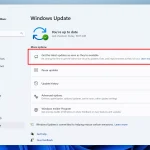
Microsoft, a veritable giant in the world of technology, has revealed a series of crucial security updates for Windows 10, including significant enhancements for Windows Defender, the company’s free anti-malware service. Sweeping changes in the security system are designed to give users more control over the protection of their devices. Notably, the updated Windows Defender now provides the option to establish periodic scans for potential threats, meaning you no longer have to run the scans manually.
This isn’t meant to replace your current security software, instead Microsoft aims to provide an additional layer of protection. Windows Defender takes up the role of scanning your device for anything that potentially fell through your main antivirus software’s net. The past year saw the Defender’s detection rates soar up to 99.8% in the prevalence test conducted in April 2016, an improvement of more than 11% year over year. This significant growth in performance has led to an increase in the number of users identifying and utilizing this formerly overlooked feature.
The indispensable nature of security in today’s interconnected world makes it a top priority for both individuals and organizations. This cosmically important truth isn’t lost on Microsoft. In fact, Rob Lefferts, Director of Program Management at Windows Enterprise and Security, expanded on the details of these new security features in Windows 10 update.
The latest update of Windows 10 heralds a whole new era of preemptive protection. The idea is straightforward yet ambitious — allow your device to take necessary security measures even before an attack takes place. By leveraging Microsoft’s stellar SmartScreen technology, users are warned whenever they venture into a potentially dubious website.
Microsoft Edge, the company’s self-proclaimed “safer browser,” has been beefed up to make internet browsing safer, thanks to several changes:
1. The use of the AppContainer sandboxing technology isolates the browser from the rest of the OS, its apps, and user data, essentially creating a protective barricade.
2. A new plug-in model blocks plug-ins implemented with insecure designs from running.
3. Mitigations in ASLR (Address Space Layout Randomization) and Control Flow Guard harden the browser against specific attack techniques, such as code injection and memory corruption.
4. Fonts served by web pages and embedded in documents, if deemed untrusted or malicious, are refused entry and blocked.
Security against Flash threats has been ramped up, isolating them outside the browser to ensure they do not affect your device.
Microsoft also utilizes hardware-based isolation, specifically Virtualization Based Security (VBS), and Trusted Platform Module (TPM), an international standard for securing hardware with robust encryptions. TPM’s latest release, Revision 01.16, was launched in October 2014, making it nigh impossible for potential attackers to penetrate your device.
Now, integrating Windows Hello’s biometric technology into this hardware encryption environment helps in mitigating advanced threats. Microsoft is essentially leveraging the rising trend of biometric capabilities in devices to ensure their users’ data safety. According to the Windows blog, users can now deploy Windows Hello on a PC without a built-in biometric sensor, using external hardware such as wearables or enterprise-authorized companion devices, like phones or employee badges.
Additionally, Windows Defender now provides ways to thoroughly investigate breaches within your organization utilizing Windows Defender Advanced Threat Protection (WDATP). This feature adds an essential post-breach protective layer to the Windows 10 security stack.
Intellectual property leaks within organizations have also been tackled with this update, using Windows Information Protocol (WIP), formerly known as enterprise data protection. WIP segregates business data from personal content, making it much easier to isolate company-specific data in the event of a breach.
In essence, Microsoft’s new Windows 10 update breathes new life into Windows Defender and promises a fortified security ecosystem for individual users and businesses alike.
[Image Credit: Beta News]
Related Reading
More contextual TechBooky stories selected from tags, categories and article context.
Paul Balo is the founder of TechBooky and a highly skilled wireless communications professional with a strong background in cloud computing, offering extensive experience in designing, implementing, and managing wireless communication systems.
We use cookies to ensure that we give you the best experience on our website. If you continue to use this site we will assume that you are happy with it.